Module 4: LangCache
Users ask the same questions over and over, and agents use 4x more tokens than chat. LangCache caches responses by meaning, saving up to 90% on token costs.
How it works
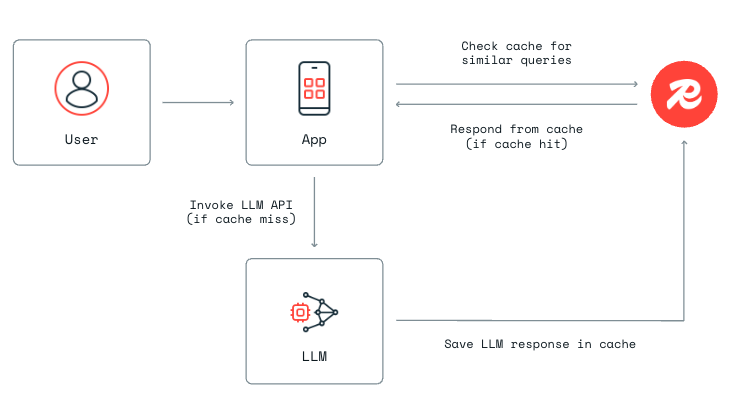
- User sends a question
- LangCache searches for a semantically similar cached response
- HIT — cached response returns instantly, no LLM call
- MISS — full pipeline runs, response gets cached for next time
Cloud setup
1. Create a LangCache instance
- In the Redis Cloud console, find LangCache in the left sidebar.
- Click Quick Create.

- Name your cache (e.g.
iris-workshop) and confirm. - Click Create.
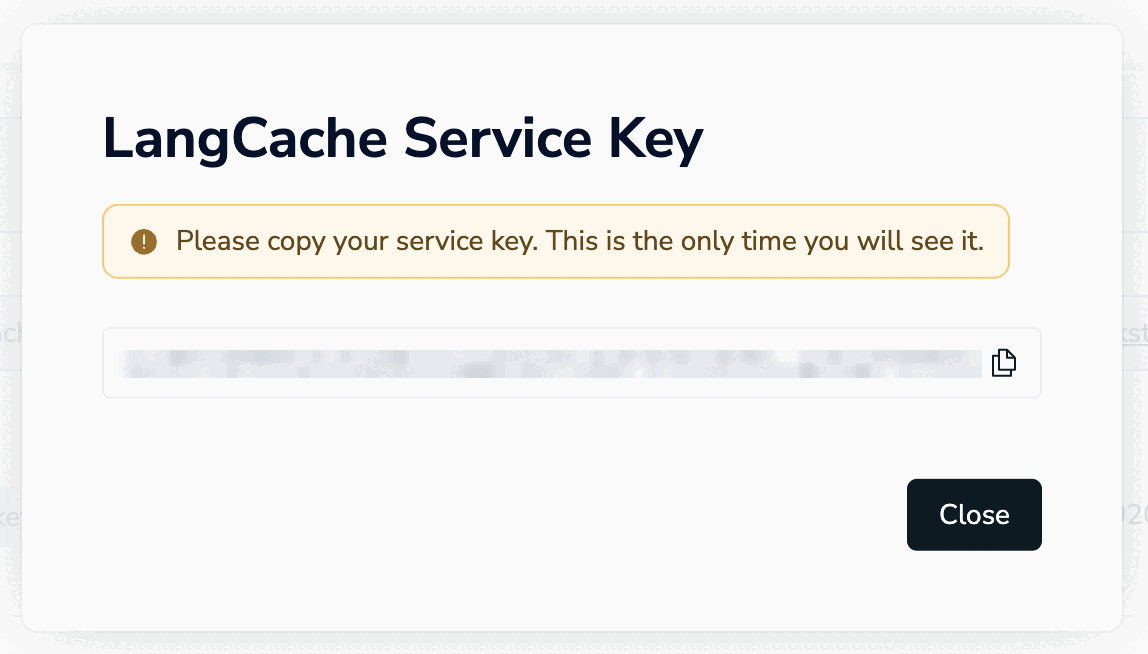
2. Copy your service key
Save this — you won't see it again.
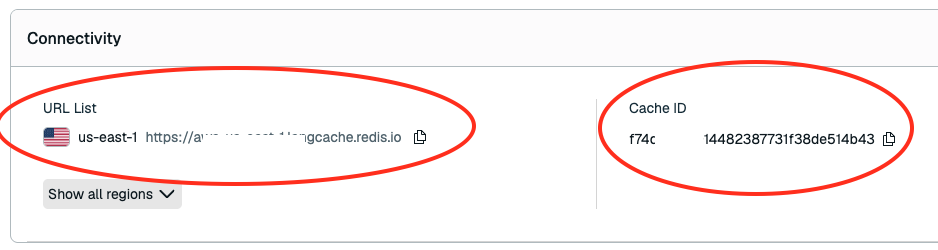
3. Get your Host and Cache ID
After dismissing the service key dialog, find the remaining credentials on the instance details page:
4. Configure environment
Add to your .env:
LANGCACHE_HOST=<URL List from step 3>
LANGCACHE_CACHE_ID=<cache-id from step 3>
LANGCACHE_API_KEY=<service key from step 2>
5. Seed the cache
This loads one cached response so you can verify immediately.
Exercise
Open exercises/banking/langcache.py
search_request_body(prompt)
This tells LangCache what to search for, how similar a match must be, and what strategy to use.
def search_request_body(self, prompt):
    return {
        "prompt": prompt,                  # what to search for
        "similarityThreshold": 0.82,       # min similarity score (0–1)
        "searchStrategies": ["semantic"],   # match by meaning, not exact text
    }
Fill in the method body with the dict above.
Try it
Restart with make dev, then open localhost:3040.
- Click Redis Iris to open the activity panel.
- Notice LangCache already has 1 cached response. Someone asked about fixed deposit interest rates.
- Ask: "Tell me about your fixed deposit rates and terms" — the response comes back instantly. No LLM call, no token cost. Notice the wording is different from the cached question, but LangCache matches on meaning, not exact text.
- Check the activity panel — LangCache shows HIT with a similarity score.
- Now ask something new: "Can you waive my card annual fee?" — that's a MISS, so the full agent pipeline runs.
Why won't my own answers get cached?
In this workshop, we intentionally skip storing new LLM responses in the cache. That way every question flows through the full pipeline (routing, context, memory) so you can see all the Redis Iris components in action. The seeded cache entry is there just to show the HIT experience.
Verify
- Cache HIT returns an instant response (no LLM call)
- Cache MISS falls through to the full pipeline
- Activity panel shows LangCache HIT/MISS status