Module 5: Agent Memory
Give your agent memory. Session context tracks the current conversation. Long term preferences persist across conversations.
How it works
| Memory type | What it stores | Lifetime |
|---|---|---|
| Session | Every message in the current conversation | Expires after the session ends |
| Long term | User preferences and facts | Persists across conversations |
Cloud setup
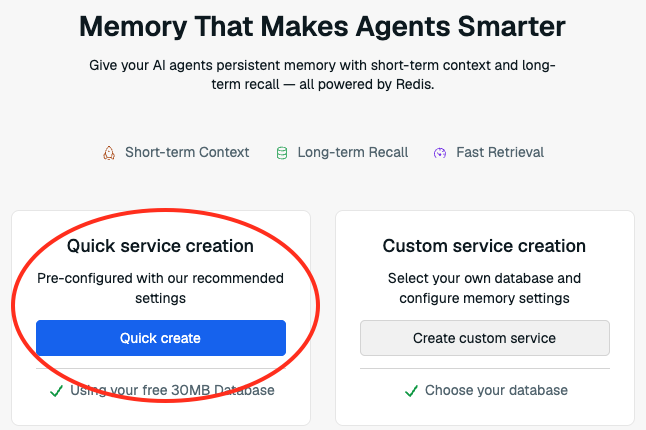
1. Create an Agent Memory store
- In the Redis Cloud console, find Agent Memory in the left sidebar.
-
Click Quick Create.
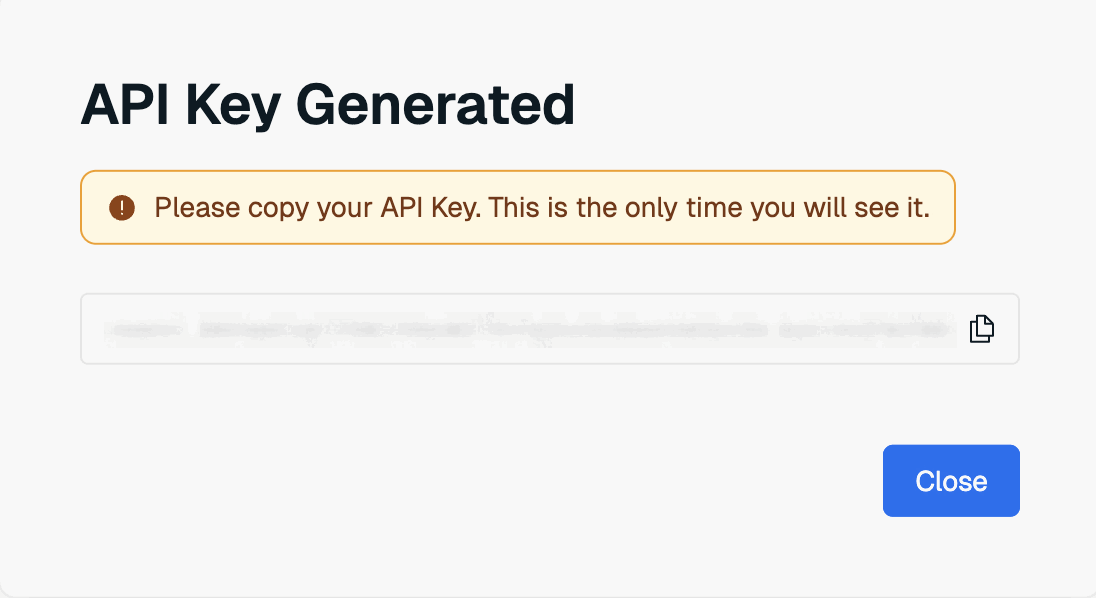
2. Copy your API key
Save this — you won't see it again.
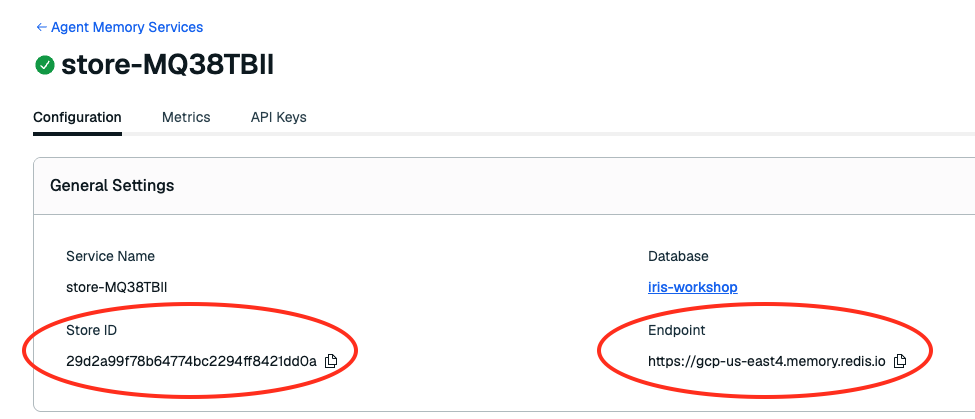
3. Get your Endpoint and Store ID
After dismissing the key dialog, find both on the store details page:
4. Configure environment
Add to your .env:
MEMORY_API_BASE_URL=<endpoint from step 3>
MEMORY_STORE_ID=<store-id from step 3>
MEMORY_API_KEY=<API key from step 2>
5. Seed long term memories
This seeds two preferences for the demo customer: "Prefers paperless statements and online banking" and "Interested in fixed deposit products for savings growth."
Exercise
Open exercises/banking/agent_memory.py
long_term_search_payload(text, owner_id, session_id, limit)
This tells Agent Memory how to search for stored user preferences. When a conversation starts, the agent calls this to recall what it knows about the user.
def long_term_search_payload(self, *, text, owner_id, session_id, limit):
    return {
        "text": text,                                        # what to search for
        "similarityThreshold": 0.2,                          # how close a match must be
        "filterOp": "all",                                   # all filters must match
        "limit": limit or 5,                                 # max memories to return
        "filter": {
            "ownerId": {"eq": sanitize_owner_id(owner_id)},  # scope to this user
            "namespace": {"eq": "banking-demo"},          # scope to this app
        },
    }
Fill in the method body with the dict above.
filterscopes results so each user only sees their own memoriessanitize_owner_idis already imported at the top of the file
Try it
Restart with make dev, then open localhost:3040.
- Ask: "What are my banking preferences and savings interests?" — the agent recalls "paperless statements" and "interested in fixed deposits"
- Ask a follow up: "What are the current rates for those?" — the agent remembers what you just discussed
Verify
- Agent recalls seeded preferences ("paperless statements and online banking" and "fixed deposit products for savings growth")
- Multi turn conversations maintain context
- Activity panel shows session and long term memory lookups