Module 3: Context Retriever
Vector search finds documents. But questions like "What are my account balances?" need live data that changes constantly. Context Retriever connects your agent directly to that data.
| Vector Search | Context Retriever | |
|---|---|---|
| Data | Static documents | Live business data |
| Query | "What are the FD rates?" | "What are my account balances?" |
| How | Searches by meaning | Queries accounts, cards, deposits directly |
You define your entities. Context Retriever generates the tools. Your agent calls them at runtime.
Cloud setup
1. Create Service
-
In the Redis Cloud console, find Context Retriever in the left sidebar and click Create custom service.
-
Fill in the general settings:
- Service name:
banking - Database: select your workshop database
- Service name:
-
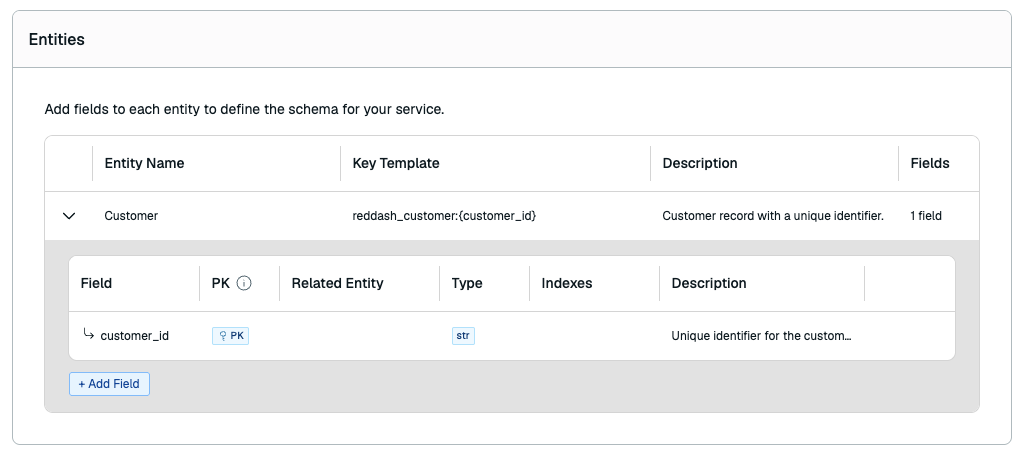
Click Entities, then Add Entity:
- Entity name:
Customer - Key Template:
radish_bank_customer:{customer_id}
- Entity name:
This tells Context Retriever how your records are stored in Redis.
-
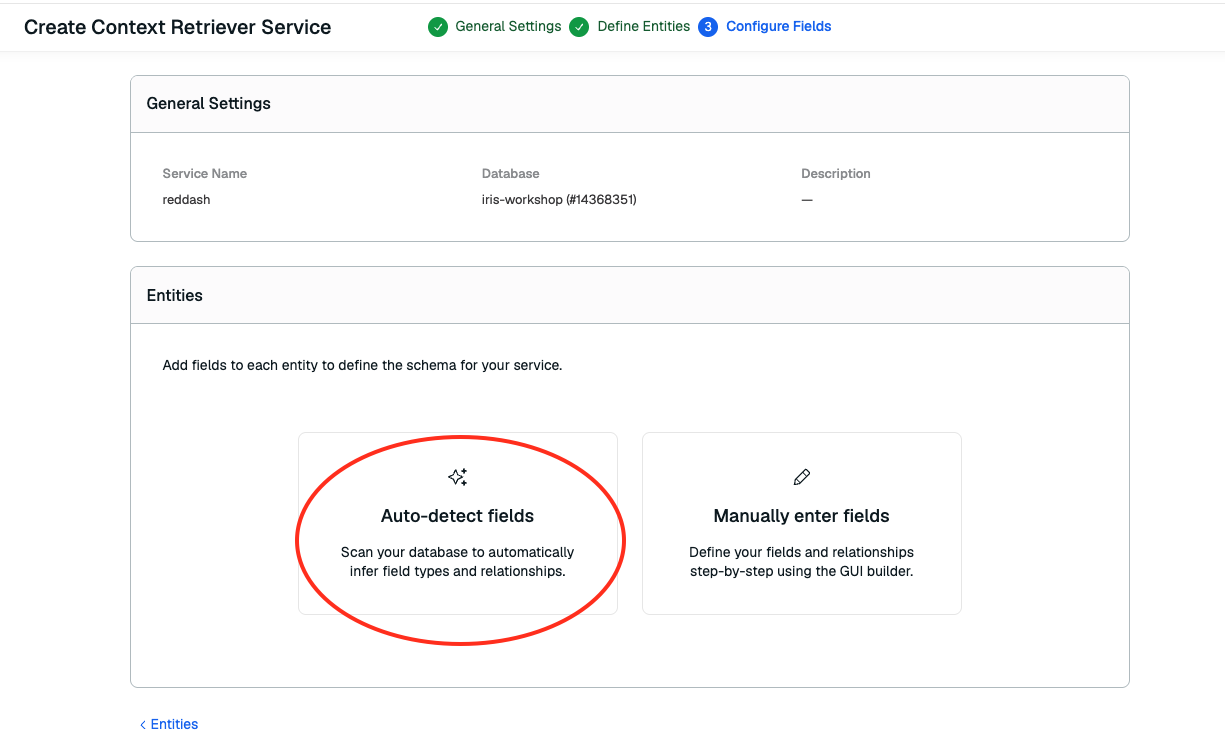
Click Fields, then Auto-Detect Fields.
-
Click Create.
2. Get your credentials
Now that your surface exists, you need two things from the Console:
-
Surface ID — copy the Surface ID at the end of the URL bar:
app.redislabs.com/#/context-retriever/<surface-id> -
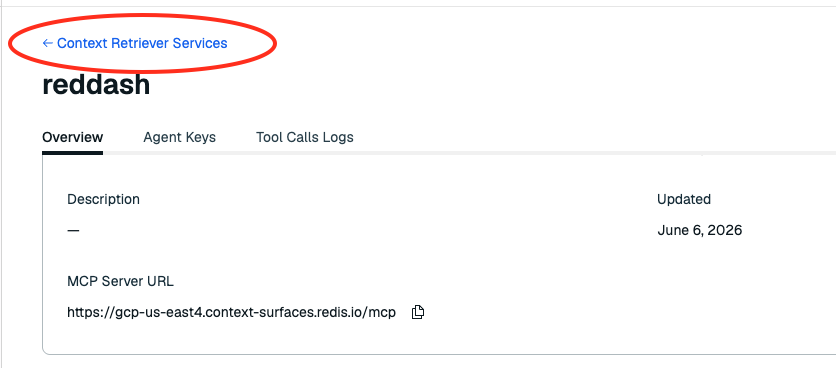
Click back to Context Retriever Surfaces
-
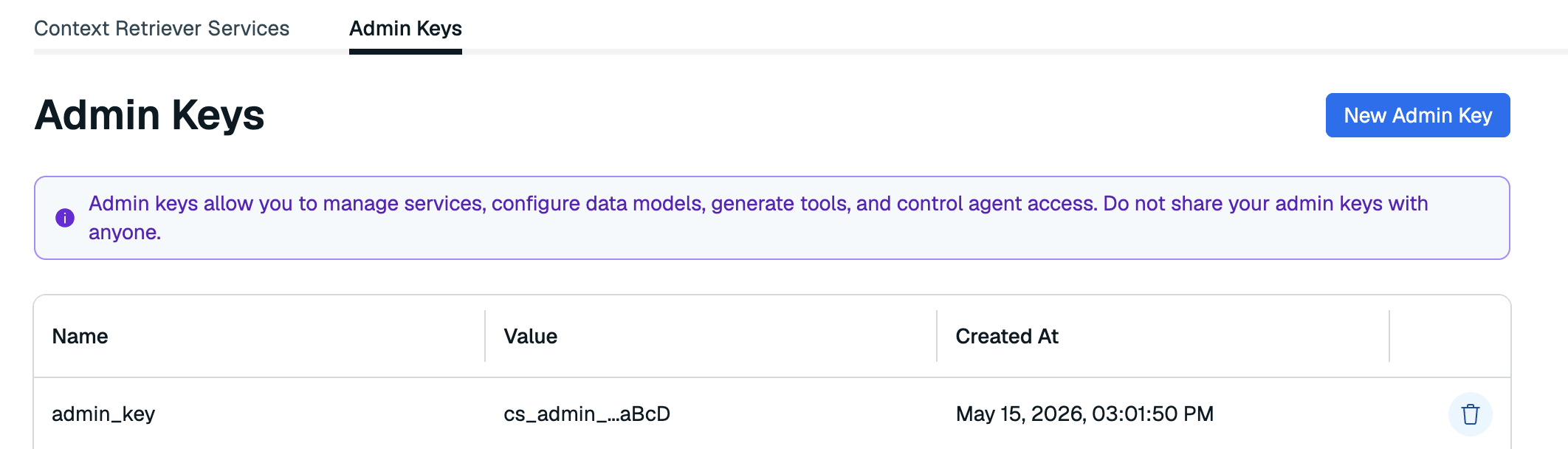
Admin Key — Click the Admin Keys tab and create a new key.
Add both to your .env:
3. Complete the surface and load data
You defined one entity. The app needs all 10 (Customer, Account, Card, FixedDepositPlan, InsurancePlan, Branch, BranchHours, ProductHolding, ServiceRequest + BankDocument vectorized).
Run these scripts to automatically add the remaining entities for you.
Explore the Tools & Entities
Go back to your Context Retriever service in the Redis Cloud console and scroll down.
You defined the entities and Redis created the pathways for the agent to retrieve data in line with your business logic via MCP tools.
10 entities, each mapped to your Redis keys with full field definitions, types, and relationships:
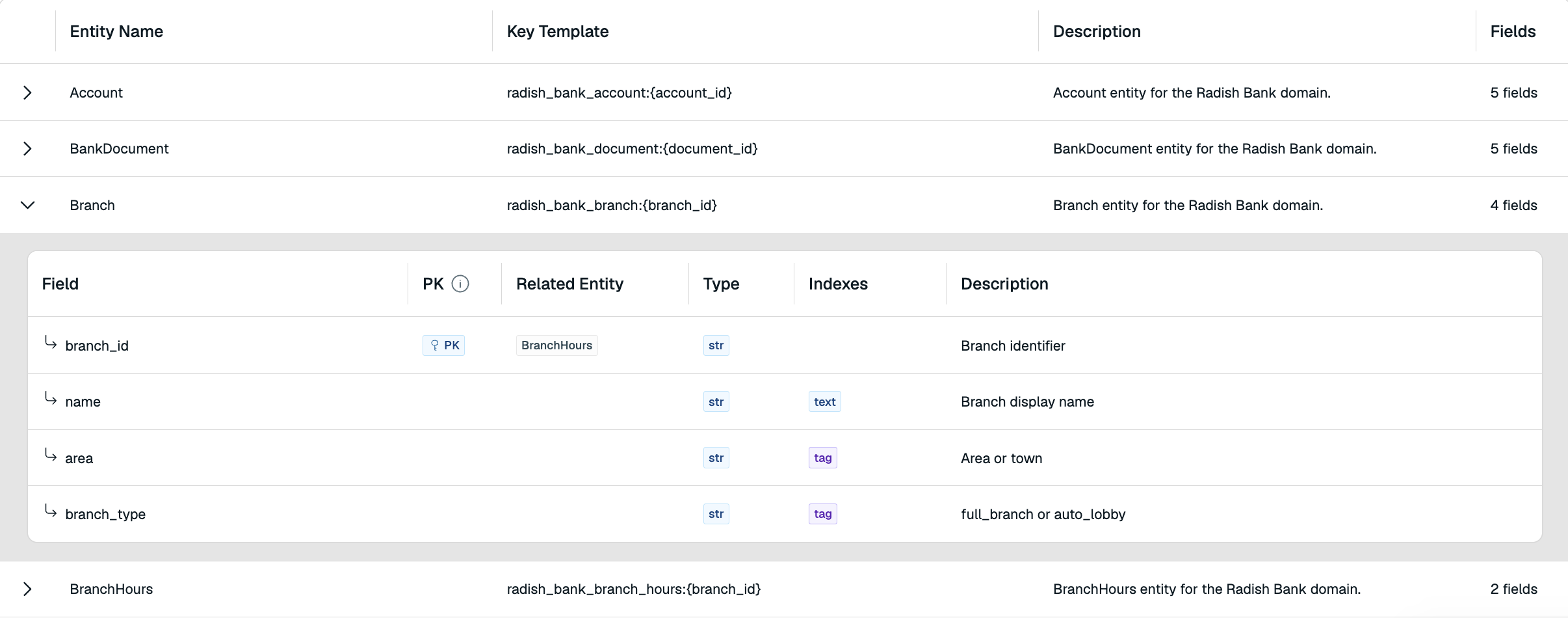
Expand any entity. Context Retriever understands every field and how entities relate to each other (e.g. Account.customer_id → Customer).
Auto generated MCP tools
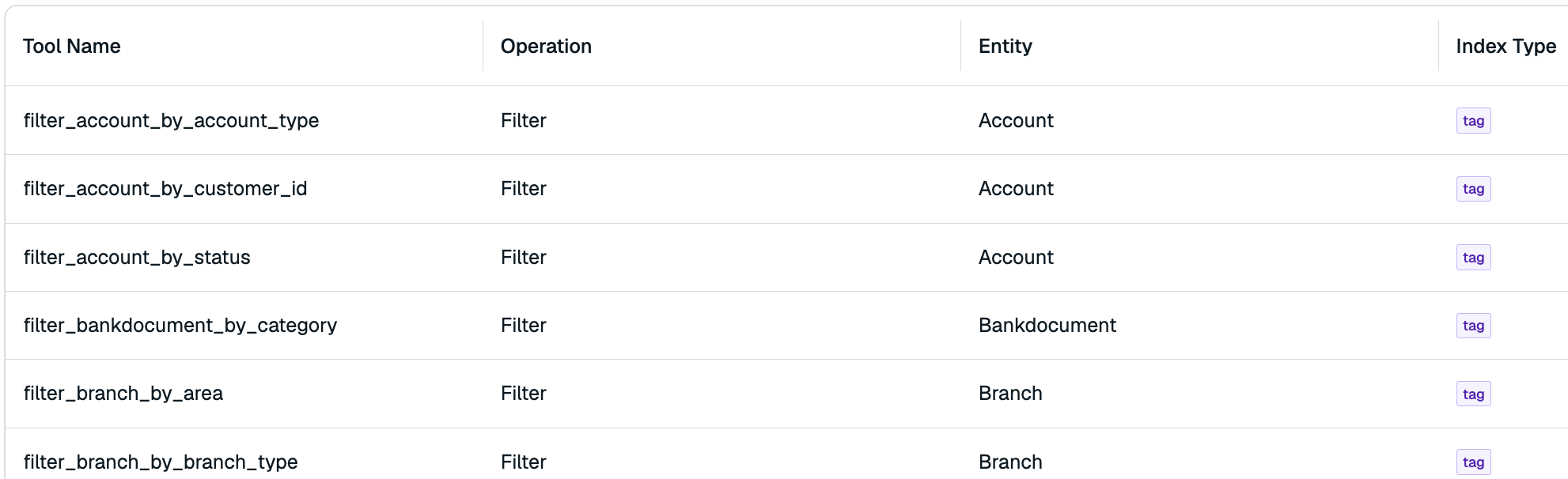
Your agent now has filter_account_by_customer_id, get_fixed_deposit_plan_by_plan_id, filter_branch_by_area, and more, all backed by sub millisecond Redis queries.
Try it
Restart with make dev, then open localhost:3040.
The mode toggle now shows Real-time Context and the top-right button says Redis Iris.
- Click Redis Iris to open the activity panel
- Ask: "What accounts do I have and what are my current balances?" — watch the agent chain multiple MCP tools to pull your accounts and balances
- Try: "What are the FD6 rates?"
- Try: "Show me my recent service requests"
- Switch back to Simple RAG and ask the same question. Notice the difference